Build
Creator
World Builder: idea to story plan
Turn a rough idea into a structured world plan, complete with scene cards, prompts, and generation choices.
EducationMuseum or exhibitStoryworldProduct showroomTravel or real estateTraining
Goal
Use World Builder to produce a plan specific enough that panoramas come out coherent and visitor movement feels intentional — not random.
When to use it
- You have a strong idea but not yet a full scene list.
- You want AI to propose the acts, scene beats, and portal logic for you.
- You need a repeatable structure for a lesson, tour, story, or walkthrough.
Step-by-step walkthrough
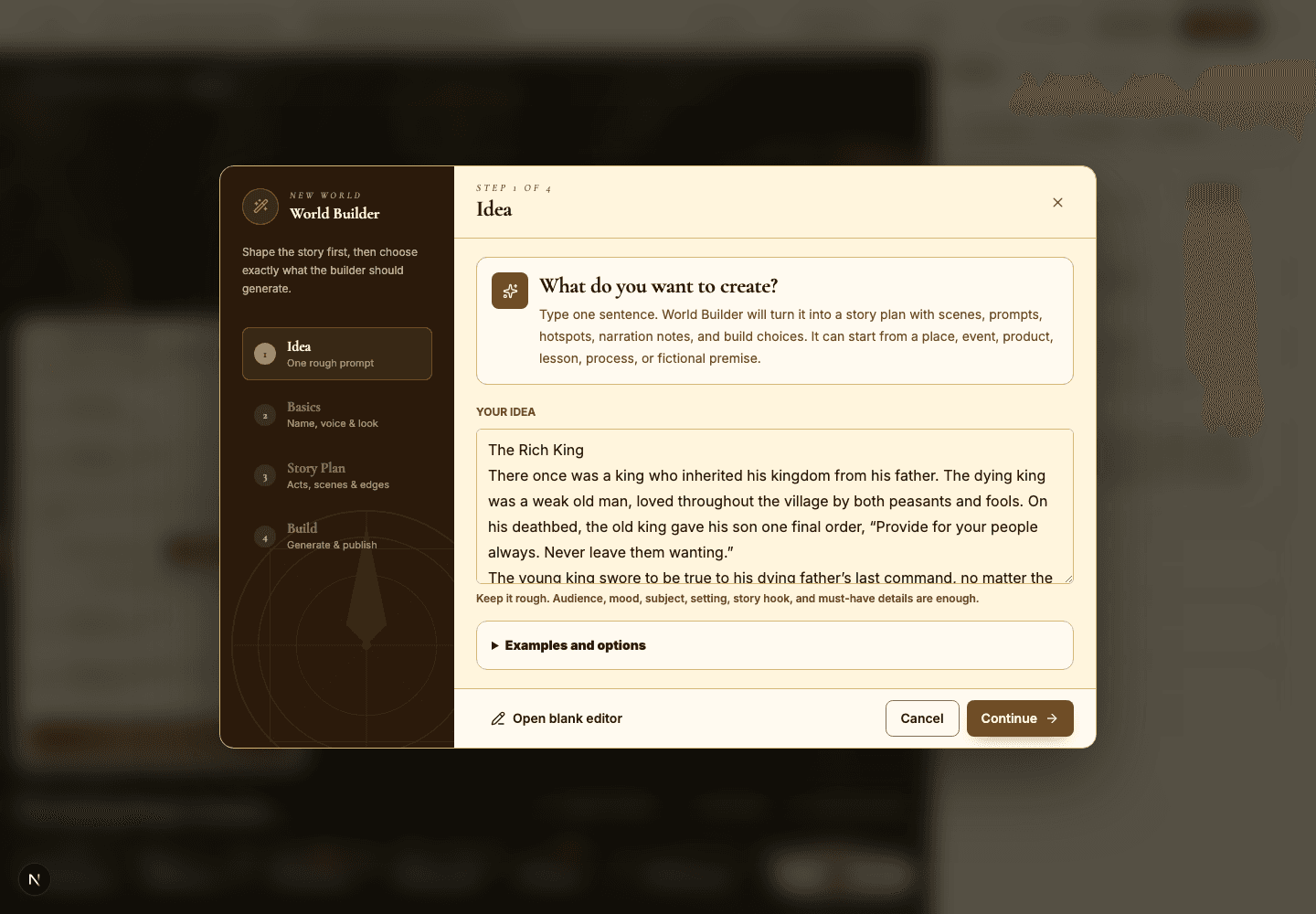
- Write your idea as a tight creative brief: subject, audience, mood, setting, and what the visitor should learn or feel.
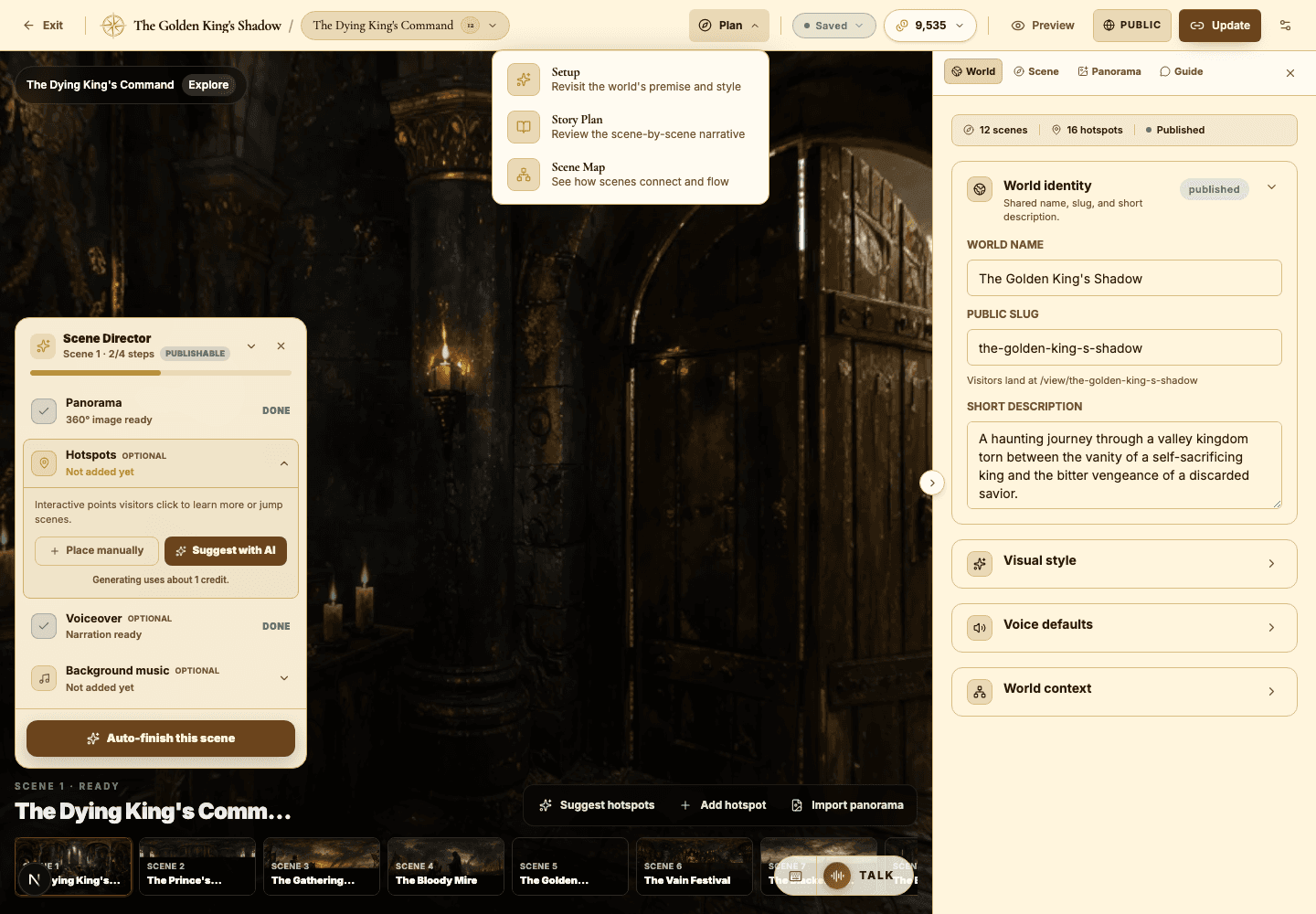
- Set the basics — world name, AI Guide voice, visual style, and a short description that captures the promise.
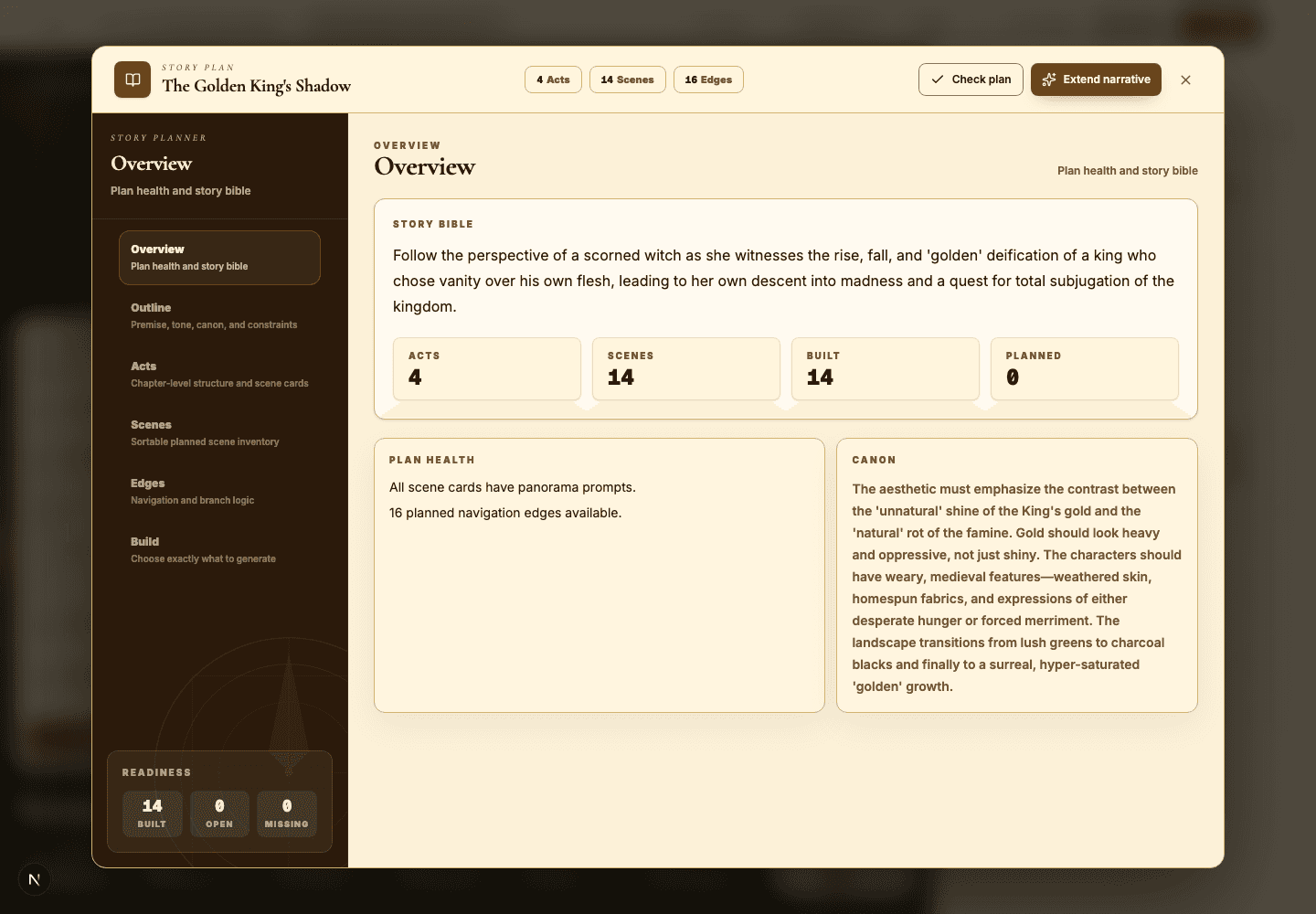
- Read the generated story plan closely. Check the premise, the audience, the tone, the visual rules, and every scene beat.
- Rewrite any scene card that feels generic before you generate a single panorama from it.
- Use the build choices to decide whether to generate the whole world at once or start with a few selected scenes.
- Come back to Setup later whenever the world outgrows its premise or needs a fresh style direction.
Best practices
- Name specific places, objects, eras, or products — concrete beats abstract vibes every time.
- Spell out the constraints that actually matter: historical accuracy, brand colors, visitor age, accessibility.
- Treat the story plan as a real production outline, not a disposable AI artifact.
- Generate fewer scenes first while the concept is still moving.
Avoid these mistakes
- Leaving the idea too broad — 'make a museum tour' gives the AI nothing to anchor on.
- Accepting scene cards without checking whether they actually connect to each other.
- Generating a full world before verifying that the first panorama's style is right.
Go deeper
- A strong idea quietly describes a route: an entrance, a discovery, a turning point, and a destination.
- World Builder shines when you feed it both creative direction and practical constraints together.
- The same structure powers wildly different worlds — just change the visitor goal and the subject.
Screenshot callouts
Related next lessons
Build
Story Plan and Scene Map
Use the planning tools to audit continuity, scene coverage, and portal navigation before visitors ever get lost.
ContinueBuild
Scenes and panorama generation
Write sharper scene prompts, choose the right generation quality, import your own panoramas, and stop wasting credits on regeneration.
ContinueImprove
Playbook: immersive educator lesson
Design a lesson world with clear learning objectives, guided questions, and quiz-ready scenes.
Continue