Start
Creator
Plans, credits, and usage
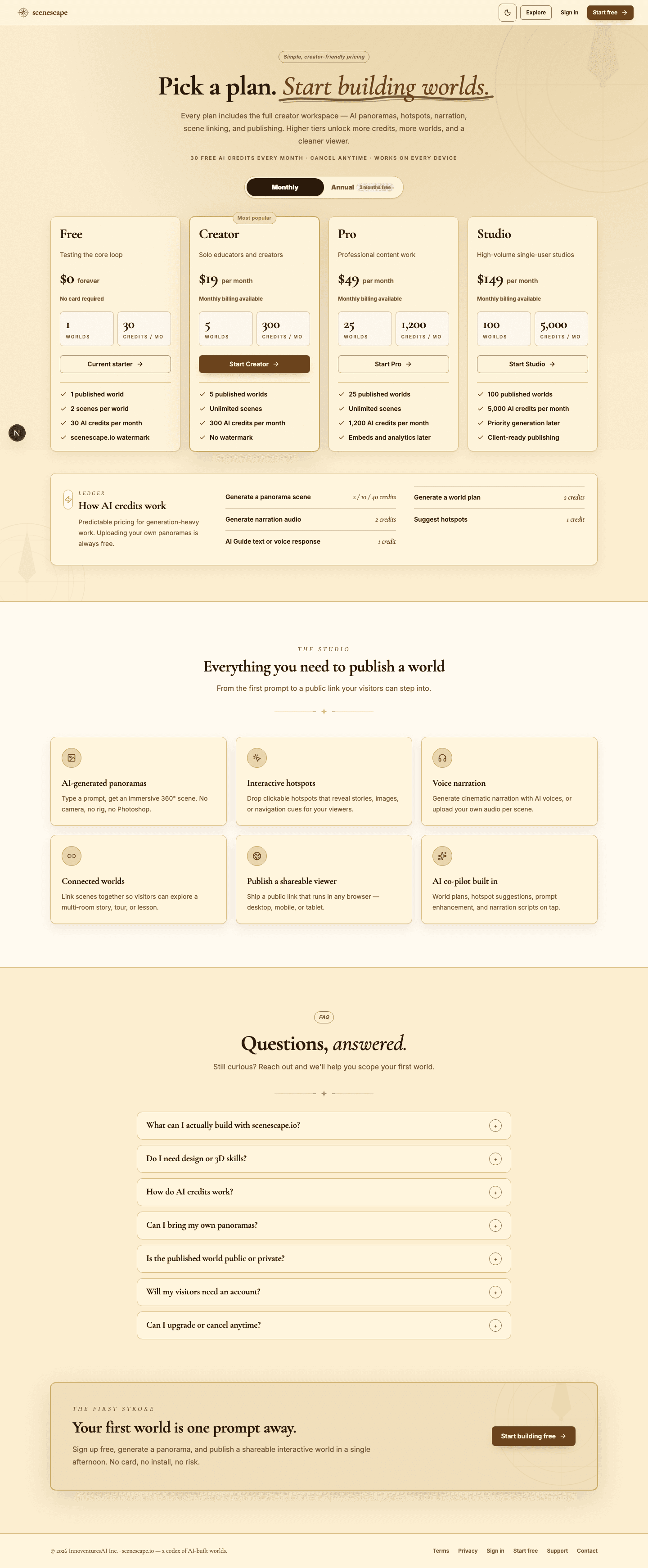
Understand plan limits, monthly credits, bonus credits, and exactly which actions spend credits.
EducationMuseum or exhibitStoryworldProduct showroomTravel or real estateTraining
Goal
Plan your generation work around credits and match fidelity to each stage — so you spend on confidence, not on guesswork.
When to use it
- You are deciding which plan or credit pack fits a project.
- You need to understand why a generation action is currently unavailable.
- You want to stop spending credits on avoidable retries.
Step-by-step walkthrough
- Open Pricing to compare plan limits and the monthly credits each plan includes.
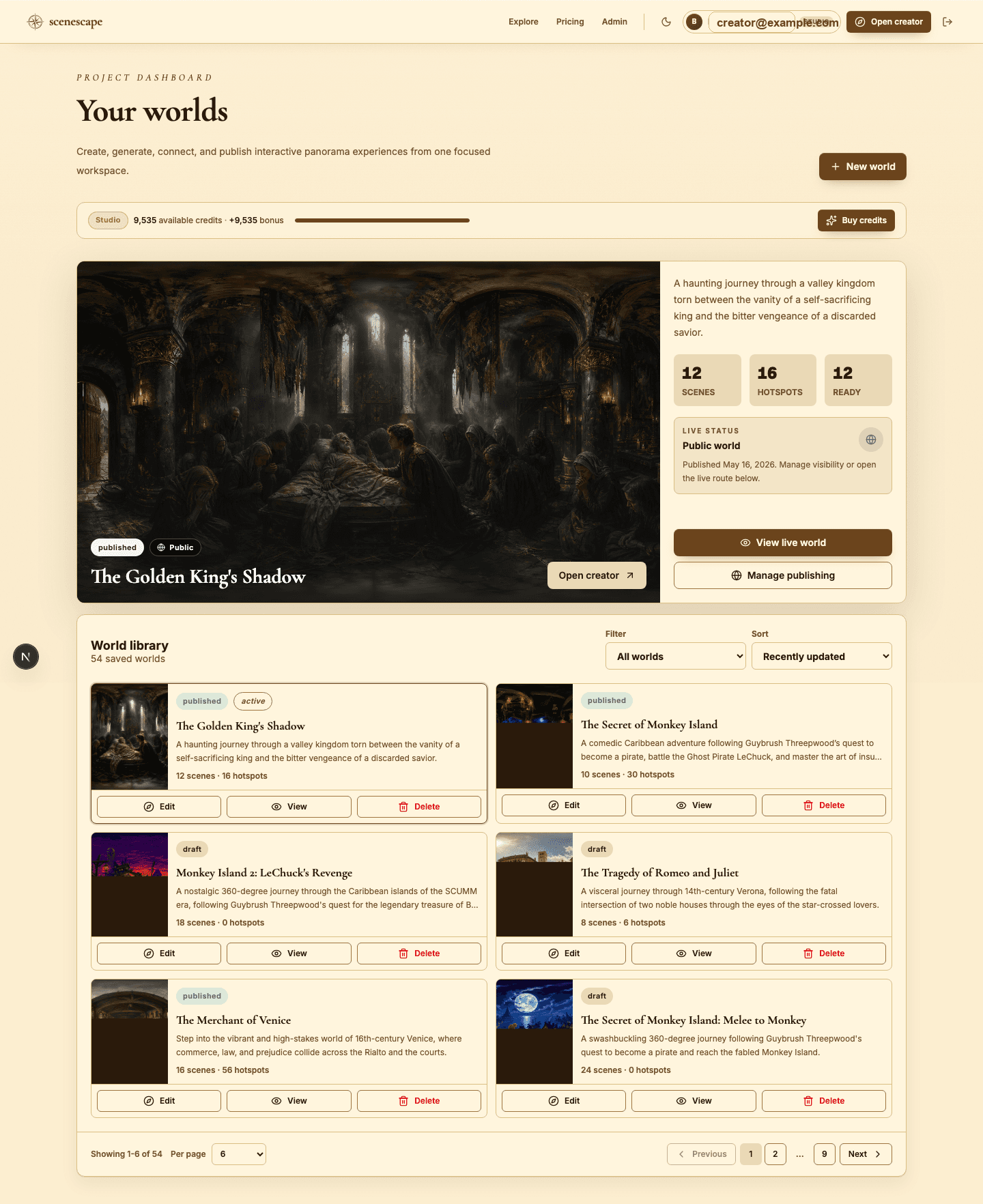
- Check the Studio dashboard for your available credits before starting a large build.
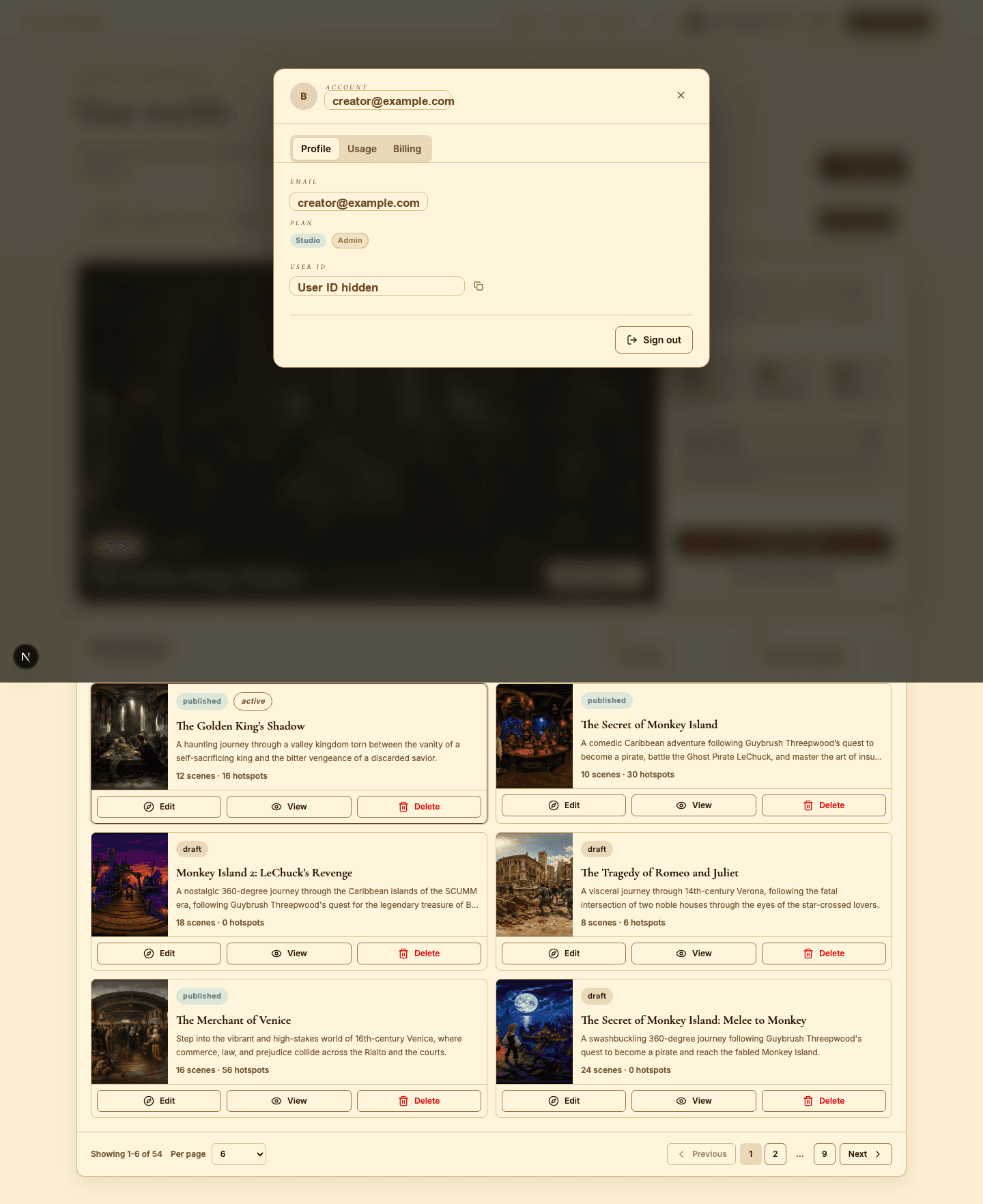
- Open the account modal to inspect your usage in detail.
- Estimate panorama cost by quality level before kicking off a batch generation.
- Remember that narration, music, AI Guide responses, and suggestions can all draw on credits too.
- Buy a credit pack when a production push needs more generation capacity than your plan provides.
Best practices
- Draft with lower-cost actions, then spend on final high-quality generation once.
- Import your own panoramas whenever you already have suitable 360-degree images.
- Run batch generation only after the story plan has been reviewed.
- Hold bonus credits in reserve for final polish, not early experiments.
Avoid these mistakes
- Regenerating a scene without first revising the prompt that produced the weak result.
- Using high quality on concepts that are still exploratory.
- Forgetting that audio and AI Guide work also consume credits.
Go deeper
- Let credits track your production confidence — spend more once the structure is genuinely settled.
- A small test world is often the cheapest way to validate a much larger use case.
- Usage planning is part of creative production, not a chore to handle afterward.
Screenshot callouts
Related next lessons
Build
Scenes and panorama generation
Write sharper scene prompts, choose the right generation quality, import your own panoramas, and stop wasting credits on regeneration.
ContinueImprove
Voiceover, narration, and background music
Use audio to pace your world and set its mood — without ever overwhelming the visitor.
ContinueTroubleshoot
Troubleshooting common creator issues
Fix sign-in, access, generation, publishing, audio, AI Guide, and viewer problems — fast.
Continue