Improve
Creator
Playbook
Playbook: storyworld or mystery
Create a narrative world where scenes, clues, hotspots, and portals reveal the story piece by piece.
Storyworld
Goal
Make visitors feel like they are discovering a story themselves — by looking closely, making choices, and connecting clues.
When to use it
- You are creating fiction, lore, a mystery, or game-like exploration.
- You want scenes to reveal the story gradually rather than all at once.
- You want portals and hotspots to feel like genuine narrative choices.
Step-by-step walkthrough
- Define the central question your visitor is burning to answer.
- Plan scenes as revelations, not just as locations on a map.
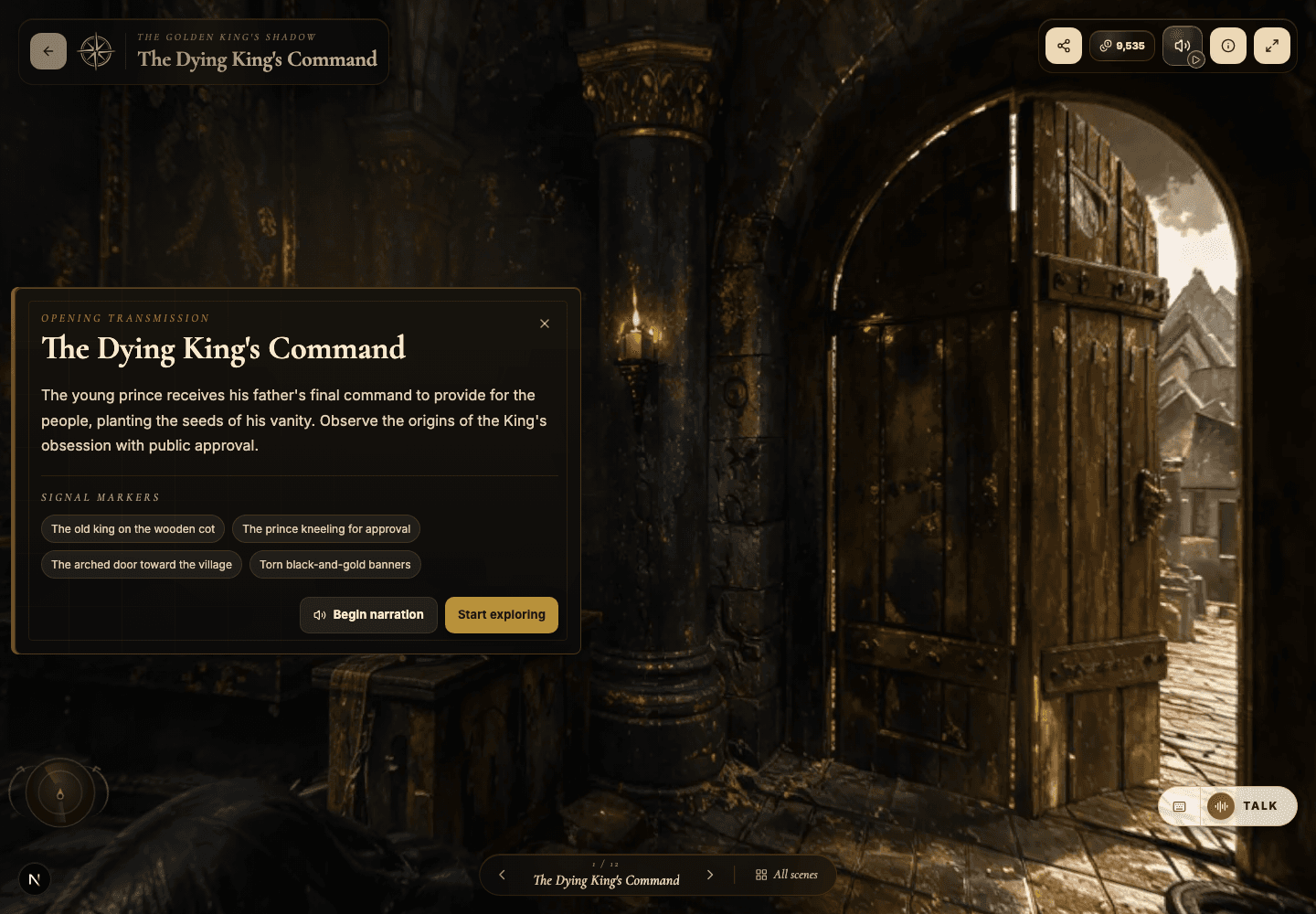
- Use hotspots as clues, witness statements, artifacts, and contradictions to untangle.
- Use portals to make story choices feel spatial and consequential.
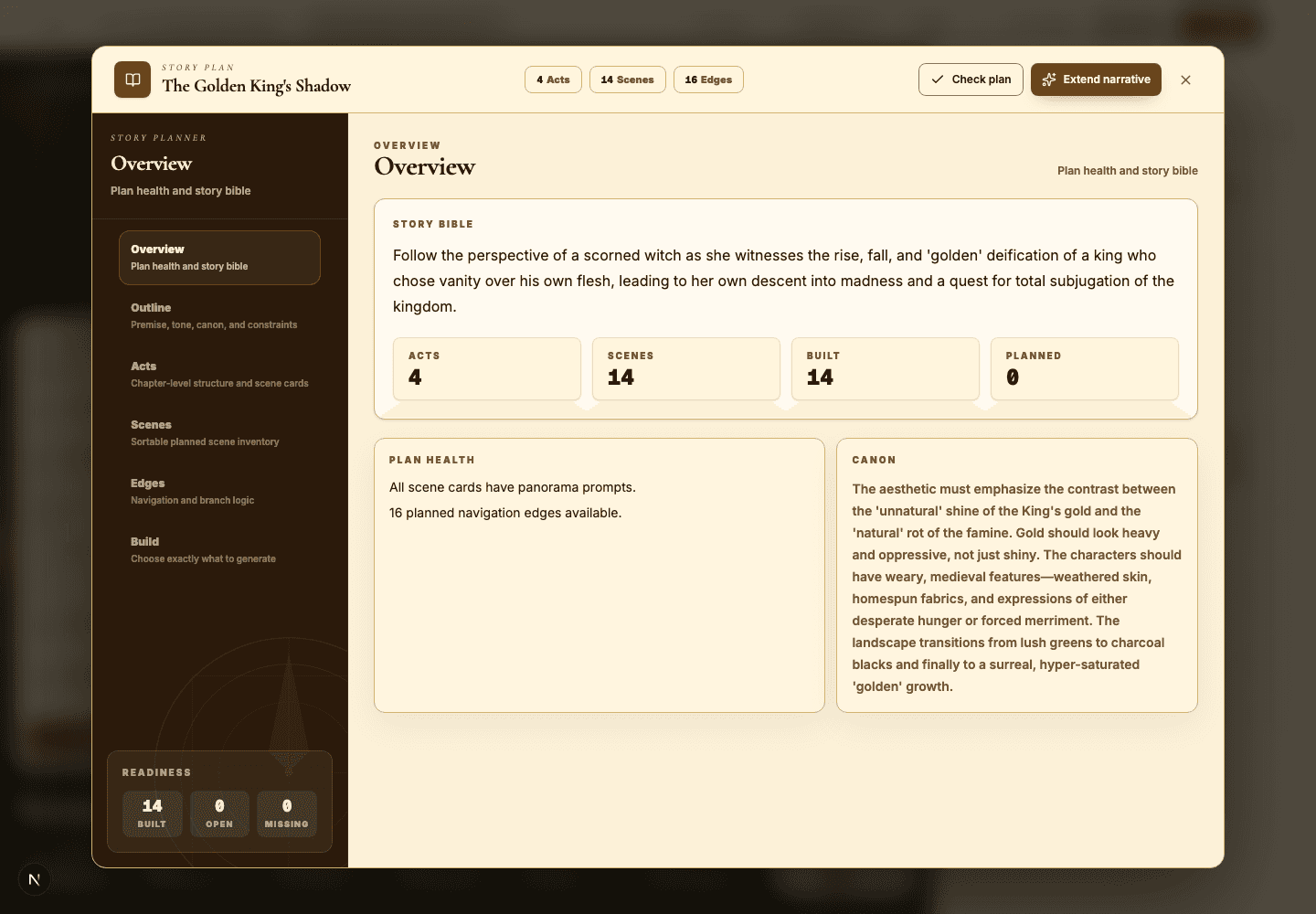
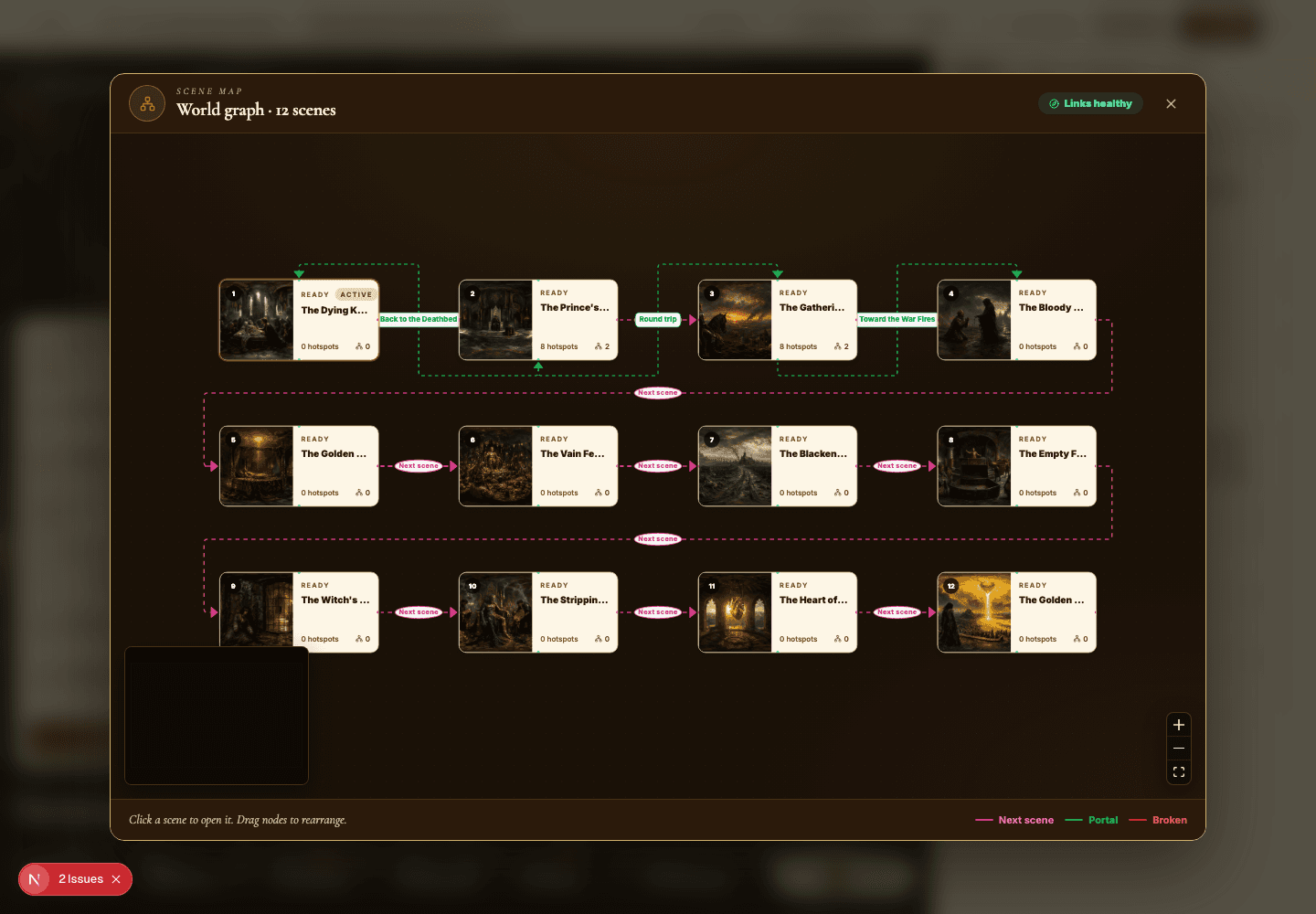
- Open Scene Map to confirm that every branch still resolves somewhere satisfying.
- Configure the AI Guide as an investigator, a host, or an in-world companion.
Best practices
- Hide answers in plain sight, woven into visual detail.
- Give every portal a real narrative reason to exist.
- Use recurring objects or colors to quietly connect distant scenes.
- End on a payoff that recontextualizes the clues from earlier.
Avoid these mistakes
- Building atmosphere without giving the visitor a question to chase.
- Adding branches that lead nowhere and carry no consequence.
- Letting the AI Guide give away the mystery far too early.
Go deeper
- A mystery world should make visitors inspect, infer, and circle back.
- Hotspots can confirm a theory, complicate it, or deliberately misdirect.
- Use the first scene to teach the rules of discovery for everything that follows.
Screenshot callouts
Related next lessons
Build
Story Plan and Scene Map
Use the planning tools to audit continuity, scene coverage, and portal navigation before visitors ever get lost.
ContinueImprove
Hotspots, narration hotspots, and portals
Design clickable moments that teach, tell a story, and move visitors smoothly through connected scenes.
ContinueImprove
AI Guide and quiz mode
Configure scene-level guidance so visitors can ask questions, get help, or be quizzed right inside the world.
Continue